
Add a sticker editor to your Shopify or WooCommerce store. Pressria returns a print-ready PDF for each order, with the contour cut line, white layer and trim marks already in it. No file cleanup, no proofs going back and forth.
Live on Shopify & WooCommerce · Free plan, no monthly fee · No sign-up to try it

The whole chain
Not a design widget you still have to wire into a workflow. The editor, the cut line, the production checks, the nesting and the Illustrator hand-off are one pipeline, and it is running today.
Why it's worth changing
A sticker order arrives as a JPG attached to an email. Then someone on your side has to turn it into something a cutter can follow — and do it again every time the customer changes their mind.
With a Pressria editor on the product page, the customer does the layout themselves, inside the spec you set, and the file that reaches you is already correct.
The range
Die-cut pieces come apart; kiss-cut pieces stay on their backing. That single difference changes four production values — cut margin, safe area, sheet trim and minimum gap — so these are separate products, not one product with a toggle. Shape and size are options within each.
 Cut all the way through · pieces come apart
Any outline your customer needs — a contour traced from their own artwork, or a fixed circle, square, rectangle or rounded shape at a size you set. Every piece carries its own cut line.
 One shape on its own backing · cut, not cut through
A circle, square, rectangle or rounded sticker cut through the vinyl only, on a backing that extends 2 mm beyond it on each side, so it peels cleanly. The cut line, backing trim and safe area come from the product, not from the file. Sold as one design or as a pack of designs.
 Seals and full sheets · several designs in one order
Small collectible seals, or full sheets that hold many pieces — the cut line traced from each design either way. One order carries the whole set: a page per design, each with its own quantity, tiled together for press.
These are starting points, not the limit. Any size on this page can become a product of your own — see below.
Photocard seals (85×55 mm) are available now — see the seal page.
Each link opens the real editor on a demo product. No sign-up.
| Die-cutevery piece comes apart | Kiss-cut · singleone design on its backing | Kiss-cut · packseveral designs, a quantity each | |
|---|---|---|---|
| Free-form | A3 sheetOpen editor → | On free-form kiss-cut, one design is already a sheet of pieces — see the pack column. | Sheet 70×70 mmOpen editor →Seal 38×48 mmOpen editor → |
| Circle | 70 mmOpen editor → | 70 mmOpen editor → | 70 mmOpen editor → |
| Square | 70×70 mmOpen editor → | 70×70 mmOpen editor → | 70×70 mmOpen editor → |
| Rounded | 70×70 mmOpen editor → | 70×70 mmOpen editor → | 70×70 mmOpen editor → |
| Die-cutDie-cut stickers | Kiss-cutKiss-cut shapes | Kiss-cutSeals & kiss-cut sheets | |
|---|---|---|---|
| The cut | All the way through — every piece comes apart | Vinyl only; the sticker sits on a backing that extends 2 mm beyond it on each side | Vinyl only; the sheet is die-cut at its edge |
| Outline | Traced from the artwork, or a fixed circle, square, rectangle or rounded shape | Fixed circle, square, rectangle or rounded shape | Traced from each piece |
| Per order | Free-form: many pieces on one sheet. Shapes: one design | One design, or a pack: several designs with a quantity each, up to 10 stickers | A page per design, a quantity per page |
| Sizes | A6–A3 · 30–80 mm rounds · 40×40–70×70 mm · 2″–5″ | 40–80 mm rounds · 40×40–70×70 mm | Seals 38×48–85×55 mm · sheets 70×70 mm–A4, 4″×6″–US Letter |
| Templates | Shapes suit templates; free-form suits customers’ own images | Suits templates best — same canvas for every customer | Suits sets of customers’ own designs |
| See it | Die-cut page → | Kiss-cut shapes page → | Seals page → · Sheets → |
Your catalogue
Pick any Pressria preset as a base, then set your own size, cut margin and safe area. The shape and cut type stay locked to the base, so the production spec can't drift. A new sticker size is a row in your settings — not a support ticket, not a release.
AI-made SVG · no Illustrator needed
AI chat tools can now write a design as an SVG file — flat vector artwork with real text. Upload that file in your Pressria admin and the server turns it into an ordinary template: the text stays editable for your customer, the artwork stays vector, and the print file stays vector and CMYK. No plug-in, and it works on a Mac.
Contents, pick the category and click AI (ChatGPT) SVG. Conversion runs on our server and usually takes seconds.Want to see what reaches production? Here is the real order PDF from another template made the same way, with its cut lines on separate layers. Open the sample PDF →
Convert this into an SVG that Adobe Illustrator can also open. Don't copy it exactly — make a variation.
Use Google Fonts for all text.
Set width and height in millimetres to my product's finished size: width="100mm" height="100mm". Make the background fill the whole canvas.
Keep the text as <text> elements — do not convert it to outlines — and put them in a group with id="text". Centre text with text-anchor="middle".
Split everything else into groups by meaning, with no more than 200 elements in each group.
Do not embed any images.
What lands on your desk
Not a flattened preview with a note attached. The cut data is in the file, on its own layers, in the names your RIP expects.
Production settings
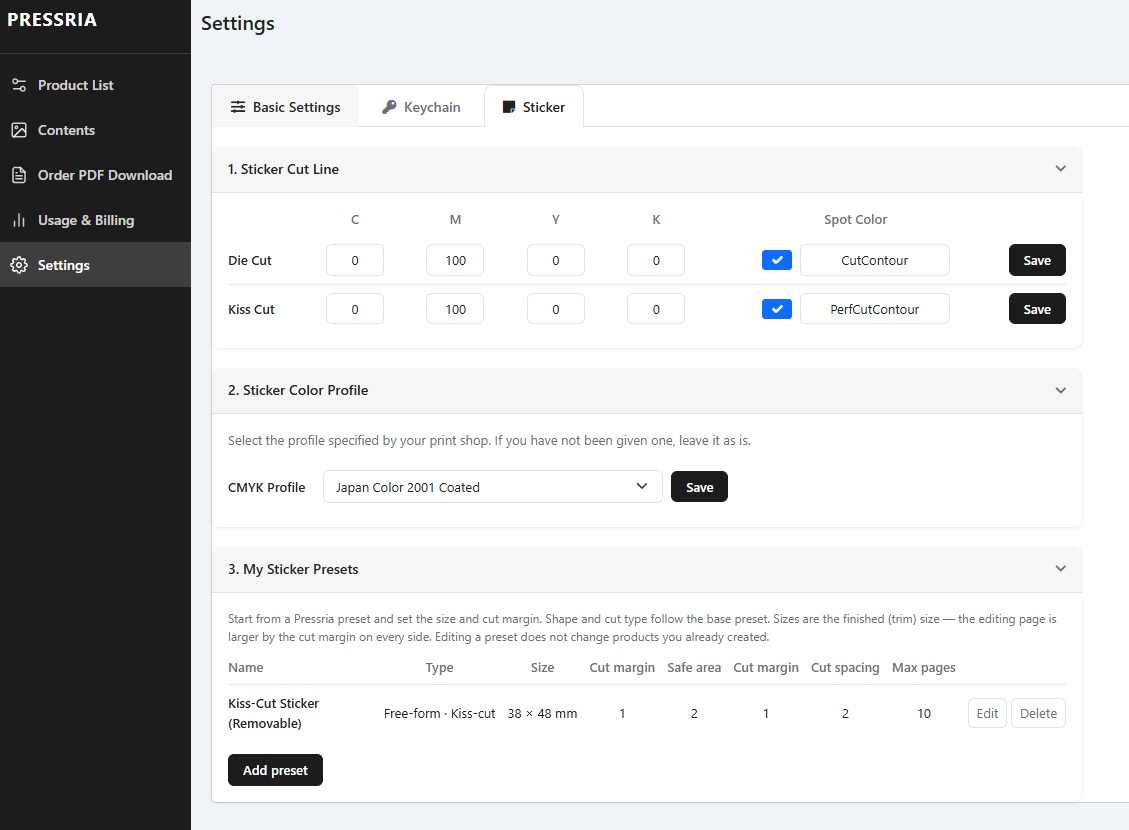
Pressria does not force every print shop into the same output settings. Select a supported CMYK ICC profile and define the spot-colour names and CMYK values your RIP uses for die-cut and kiss-cut lines.
Set it once. Every sticker order follows the same production specification.
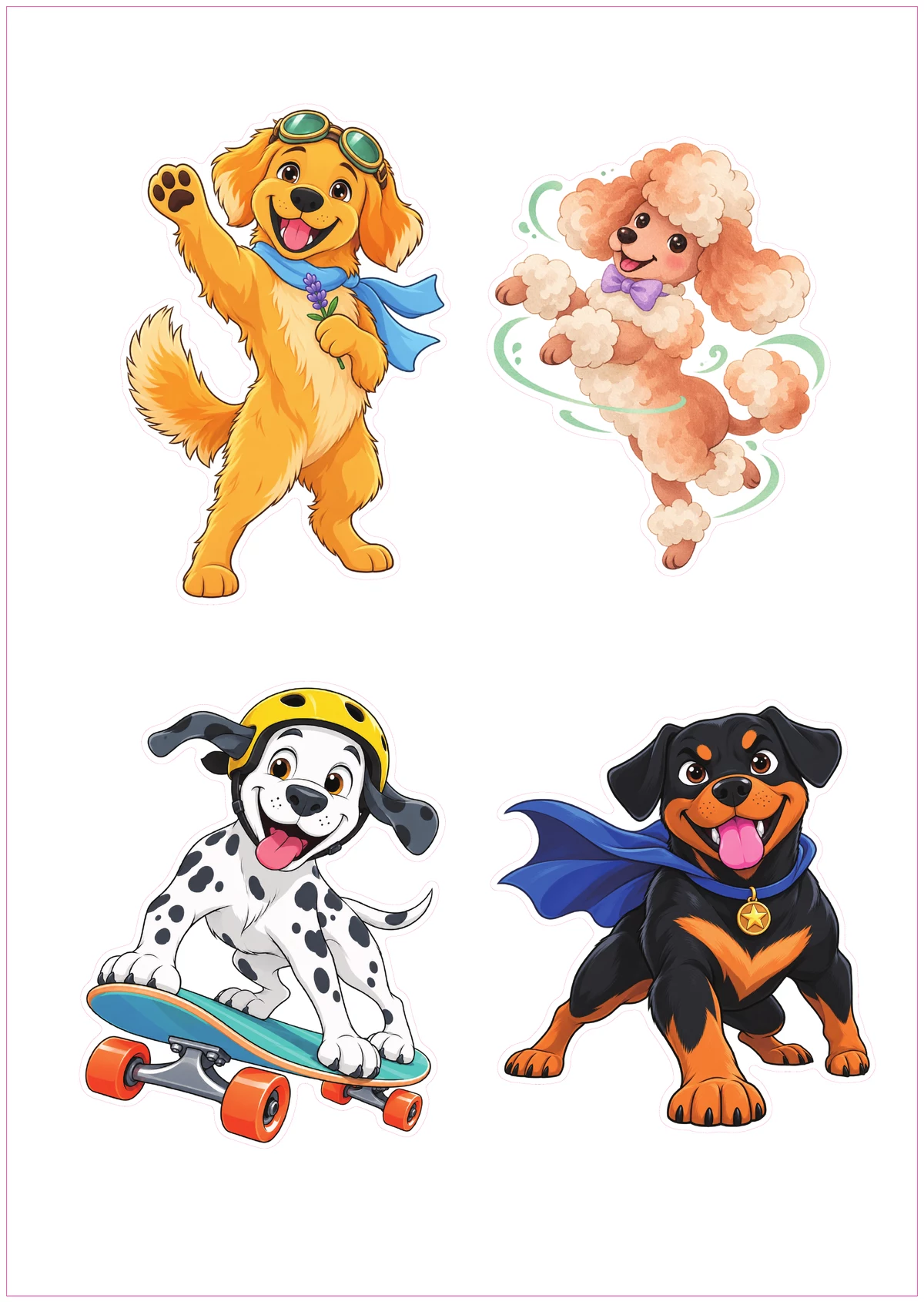
Four free-form designs, each with its own contour cut line.
Open sample PDF →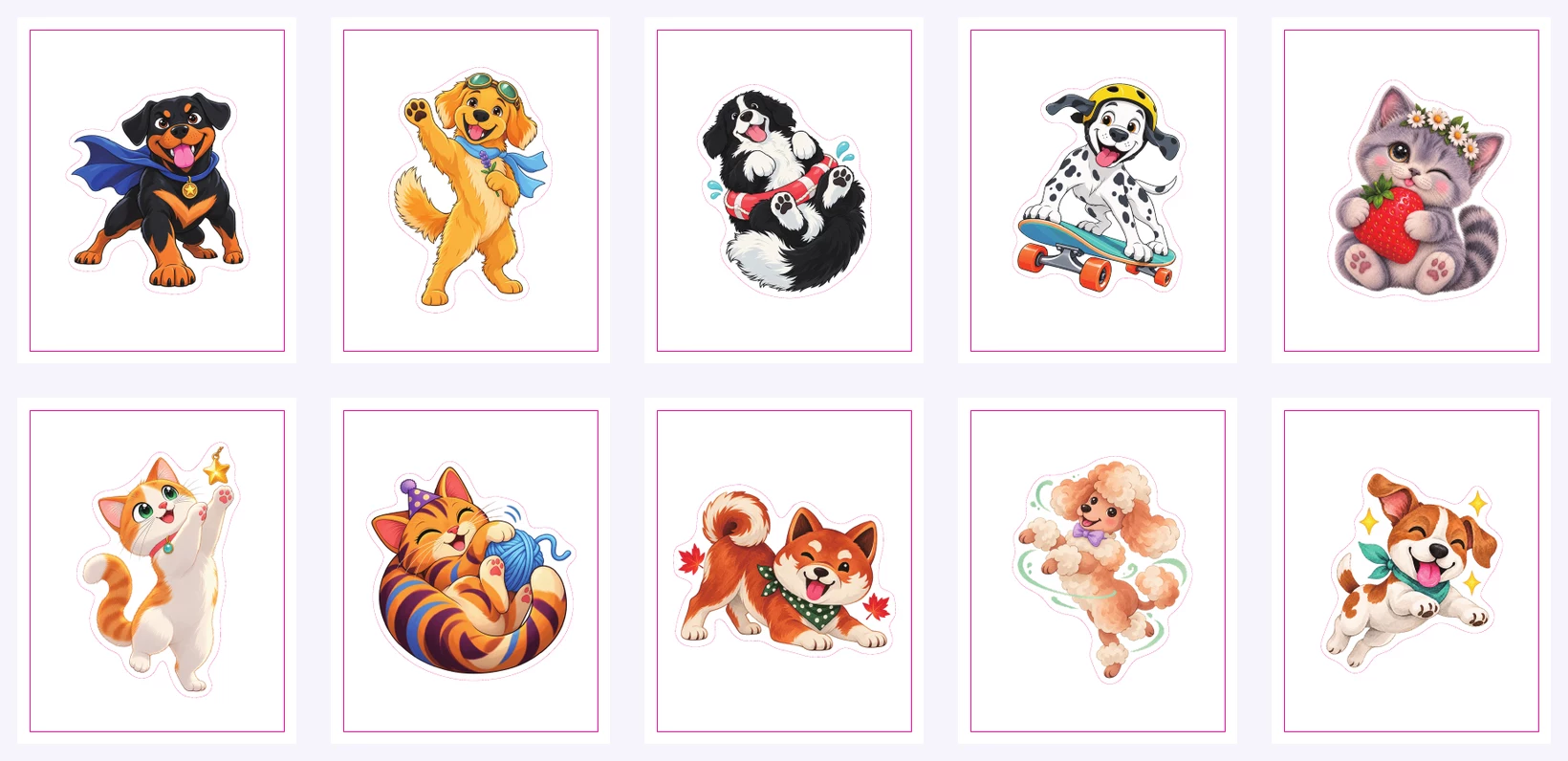
One design per page, returned together as one production-ready PDF.
Open 10-page sample →Select a supported colour profile that matches the production standard used by your print workflow.
L-corner marks for Graphtec and Mimaki, circular dots for Roland. Choose the pair your machine reads.
The white underlay is generated with the design, and overprint and transparency are resolved before the file reaches you.
The piece cut line, the sheet trim line and the safe area are separate values on every product — so a kiss-cut sheet never gets trimmed through its stickers.
Integrations
On Shopify the editor opens right after checkout: your customer pays, then designs the sticker. On WooCommerce it sits on your product page, and the design stays visible through cart, checkout, the order page and your admin. Either way, the print-ready file with the cut line comes back for every order.
Install Pressria Custom Goods Editor from the Shopify App Store. Your customer checks out, then designs the sticker in the editor, and the print-ready PDF with the cut line downloads from your Shopify admin. Plans and usage are billed on your Shopify invoice.
Live on WordPress.org. An Edit Design button on your product page opens the editor, with bulk product sync, variable product support, and order handling with retry via Action Scheduler.
Running a Cafe24 store? The Cafe24 app is listed too, opening from the product page as it does on WooCommerce.
Pricing
Stickers are a small-order business. A platform fee with a high floor quietly eats the margin on every one of them, which is why ours starts at three cents for stickers.
On a $3 sticker, a $1.50 floor would take half the order. Ours takes fifteen cents.
Charged per design — one design is one personalized order line that produces one print file, however many images, sides or pages it holds. A sticker sheet with ten images, or a seal pack of five pages, is one design. Cancelled and refunded orders are charged the minimum only.
The Free plan has no monthly fee: the first 20 designs in each billing cycle are free, then 5% per design, minimum $0.03 for stickers. Studio lowers it to 3% per design, minimum $0.02 for stickers.
FAQ
No. The editor runs in the browser on desktop and mobile. They upload artwork, place it on the sheet, and the cut line is generated for them.
A print-ready PDF with the contour cut line, the white layer and the trim marks already placed, using the spot colour names your shop sets. From there it can go straight into automated nesting and on to Illustrator.
Yes. In your settings, start from any Pressria preset and set your own size, cut margin and safe area. Shape and cut type stay locked to the base preset, so the production spec can't drift. Editing a preset never changes products you already created.
The editor enforces the product's own spec while they work. Pieces that sit closer than the minimum gap, or that get shrunk below the minimum size, are flagged on screen before the order can be placed.
Die-cut pieces are cut all the way through and come apart individually. Kiss-cut pieces are cut through the vinyl only and stay on their backing sheet, so the sheet carries its own trim line as well as the piece cut lines — three separate values, kept apart on every product.
Yes. Select a supported CMYK ICC profile and configure separate spot-colour names and CMYK values for die-cut and kiss-cut lines, including names such as CutContour and PerfCutContour that your RIP already expects.
The file is prepared with registration marks for the common families — L-corner for Graphtec and Mimaki, circular for Roland. Pressria's output lands in Illustrator; sending the job to the cutter stays with your own cutter software.
Yes. The Shopify app is on the Shopify App Store, the WooCommerce plugin is live on WordPress.org, and the Cafe24 app is listed. If you run something else, talk to us.
No sign-up, no install. Upload an image and watch the cut line appear.